Your LEGO collection, finally taken seriously.
Scan any box. Know exactly what you own, what it's worth on the market today, and what to hunt next. Three databases. Zero accounts. Works offline.
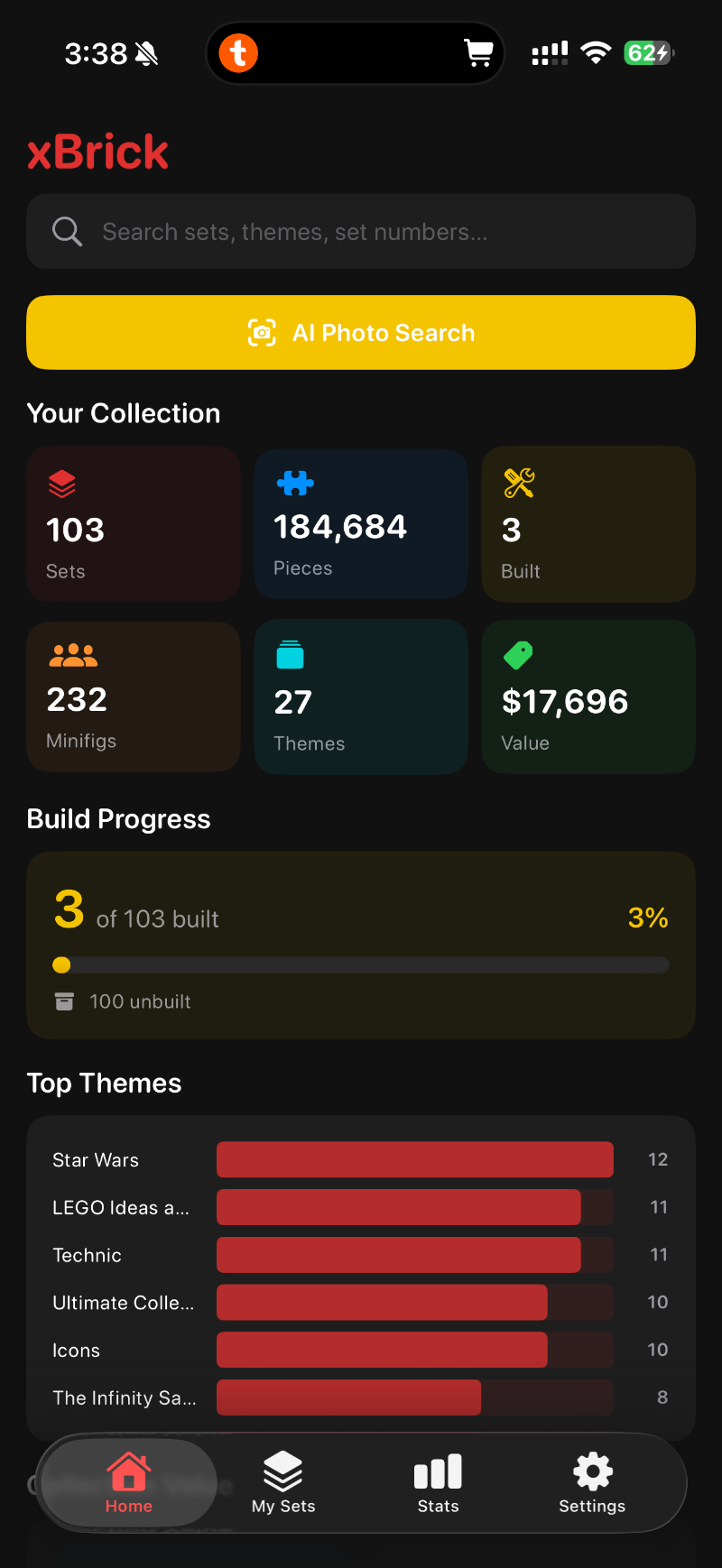
Built for collectors who actually count their pieces.
Three data sources fused into one offline-first index. Scan a box, get everything: piece count, minifigs, parts inventory, weight, dimensions, regional pricing, and live BrickLink market value.
Point. Tap. The box becomes data.
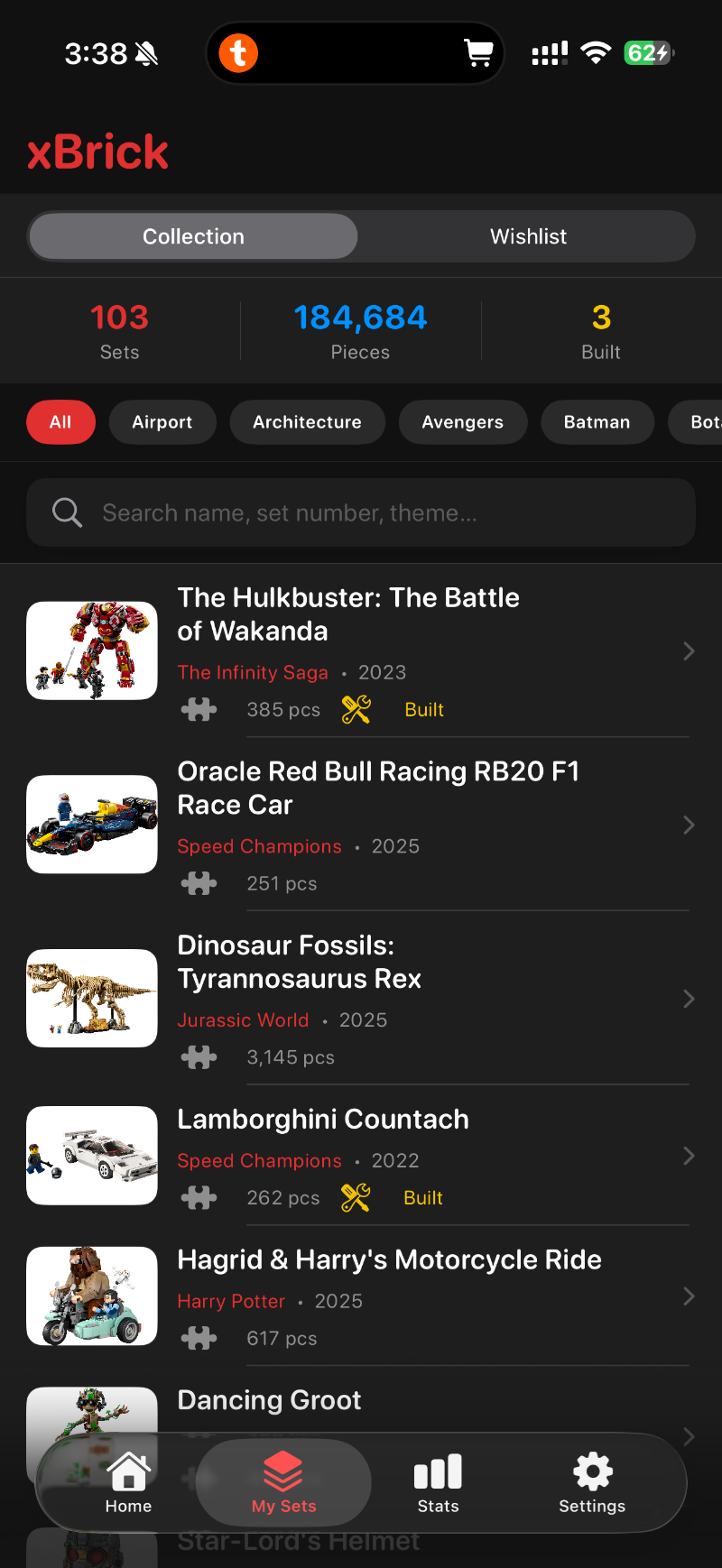
Aim the camera at any LEGO box for instant AI recognition, or search by name, theme, or set number. xBricker pulls in piece counts, minifigure lineups, parts inventories, and prices automatically.
Three databases. One device.
Set metadata is fused from three of the most respected LEGO data sources and cached on your phone, so the app keeps working on a plane, in a basement, or anywhere else without signal.
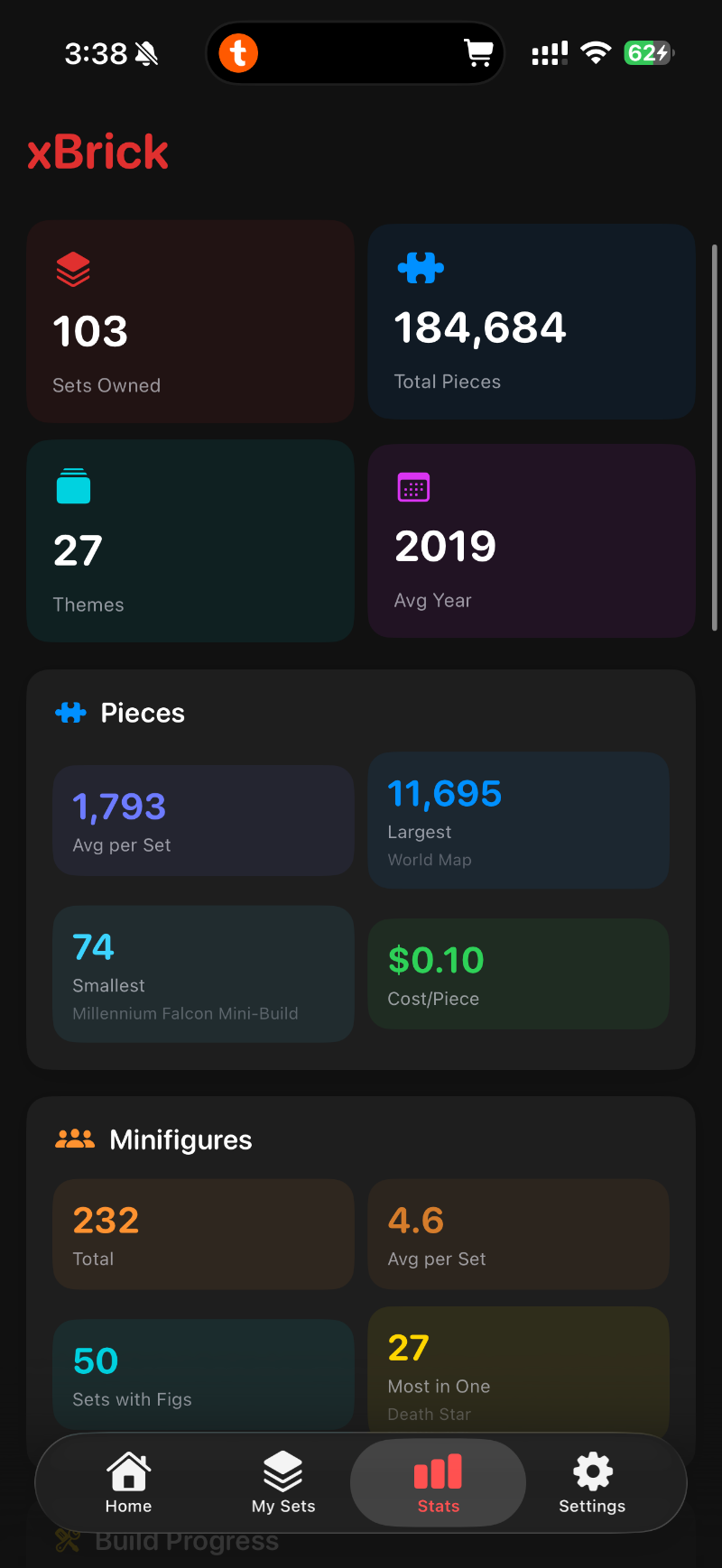
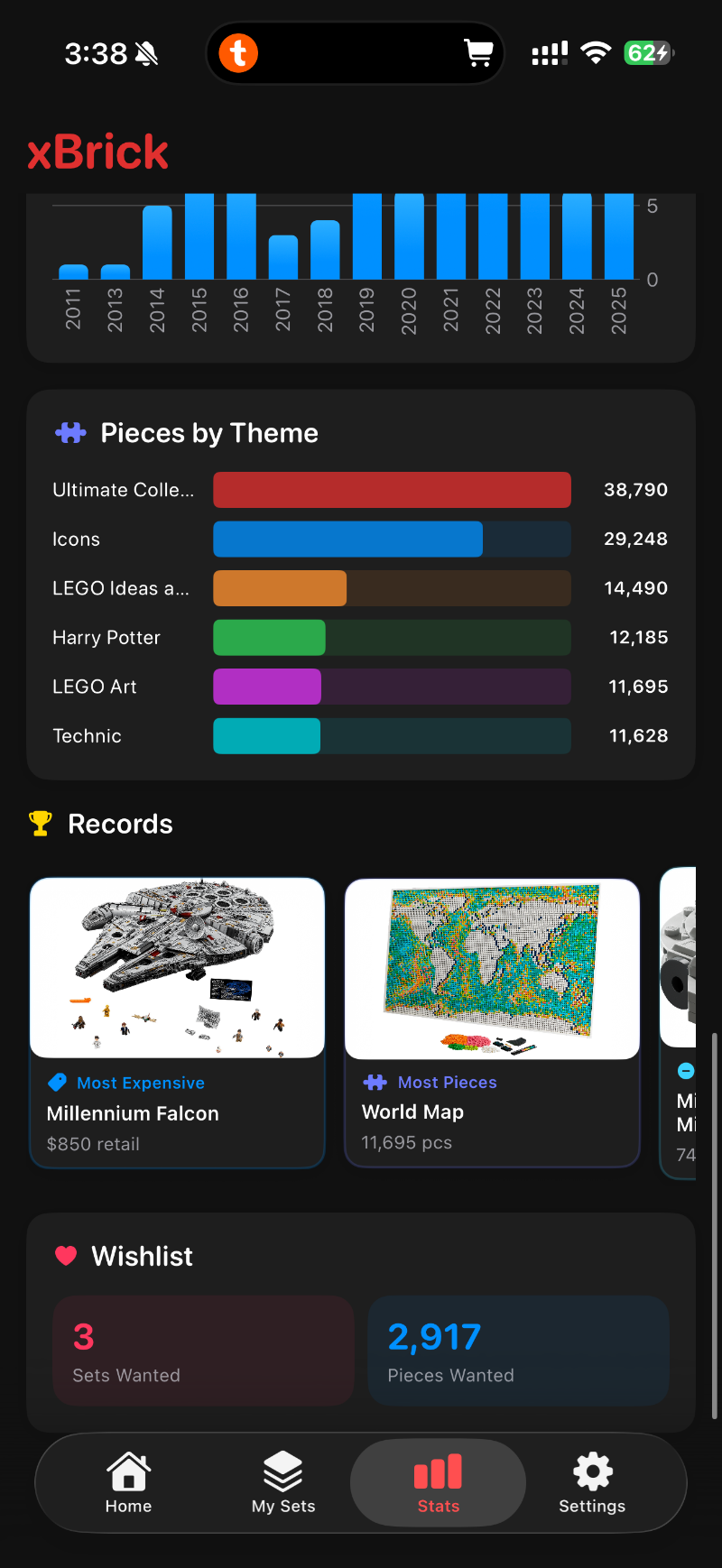
Stats that go deep.
Cost per piece. Theme distribution. Year breakdown. Rating histograms. Record holders. Your shelf becomes a proper dashboard.
The hunt list, kept tidy.
Save sets you're chasing in a dedicated wishlist so you remember exactly which ones to grab before they retire — search by name or theme, mark them off as you bag them.
Every screen, built for scanning at a glance.
Information-dense, but never noisy. Built in SwiftUI for iPhone and iPad.
Questions, answered.
Is xBricker free?
Yes. xBricker is completely free. There is no subscription, no paywall, and no in-app purchase required to use the core features.
Does xBricker work offline?
Yes. Set metadata, parts, minifigure rosters, and prices are cached locally on your device. Once a set is in your collection you can browse it without any internet connection.
Which devices does xBricker support?
xBricker runs on iPhone (iOS 17.6 or later) and iPad (iPadOS 17.6 or later). It's a free download from the App Store.
How does xBricker recognise LEGO sets?
Point your camera at any LEGO box and the AI Photo Search identifies the set in seconds. You can also search by set name, theme, or LEGO set number.
Does xBricker collect personal data?
No. xBricker does not require an account, does not sync to the cloud, and contains no analytics or trackers. K2 Labs has declared “Data Not Collected” on Apple's App Privacy report.
Where does the LEGO set data come from?
xBricker fuses metadata from three of the most respected LEGO databases: Rebrickable for parts and inventory, Brickset for dimensions, weight, ratings, and retail pricing, and BrickLink for live marketplace prices.
Can I import my existing Brickset collection?
Yes. xBricker imports your entire Brickset collection in one tap. All metadata then syncs locally so the app keeps working offline.
Your shelf is a database.
Index it.
Free. No account. No subscription. Works on iPhone and iPad.